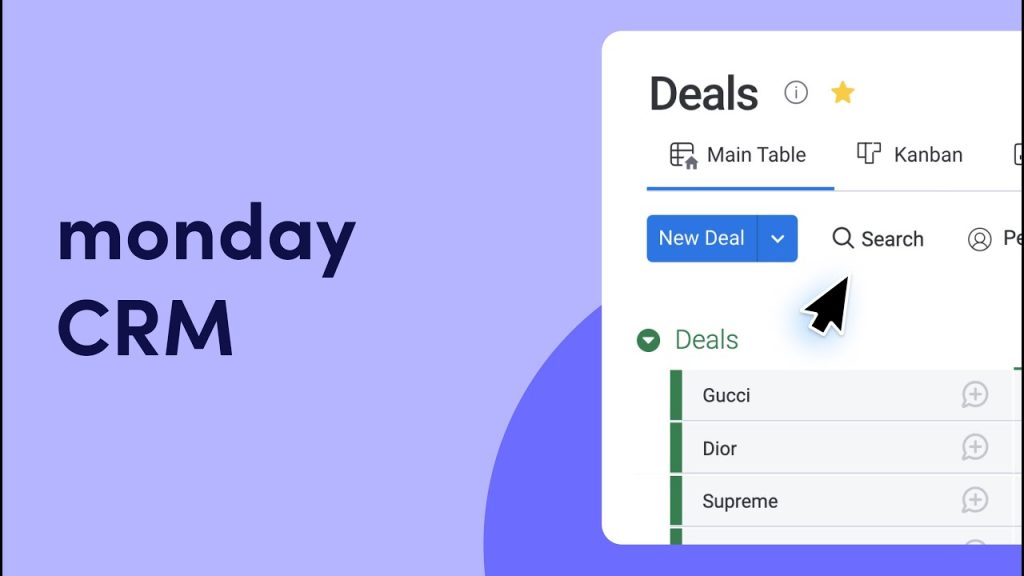
In the ever-evolving landscape of customer relationship management, Monday CRM has emerged as a powerful tool that helps businesses of all sizes manage their customer interactions, sales processes, and overall operations more efficiently. Known for its intuitive interface and robust features, Monday CRM offers a flexible and customizable solution that can adapt to various business needs. This article explores the key features, benefits, and best practices for utilizing Monday CRM to optimize your business operations.
What is Monday CRM?
Monday CRM is part of Monday.com, a popular work operating system (Work OS) that enables teams to run projects and workflows with confidence. Monday CRM is specifically designed to help businesses manage their customer relationships by providing a centralized platform to track interactions, manage sales pipelines, and streamline workflows. It integrates seamlessly with other Monday.com tools, offering a cohesive experience for managing all aspects of business operations.
Key Features of Monday CRM
Monday CRM is packed with features that cater to the diverse needs of businesses. Here are some of the standout features that make it a preferred choice for many organizations:
1. Customizable Workflows
One of the most significant advantages of Monday CRM is its highly customizable workflows. Users can create custom pipelines and stages that reflect their unique sales processes. This flexibility allows businesses to tailor the CRM to their specific needs, ensuring that it aligns with their operational requirements.
2. Contact Management
Monday CRM provides robust contact management capabilities, enabling businesses to store and organize detailed information about their customers and leads. This includes contact details, interaction history, and notes, all centralized in an easily accessible database. This feature ensures that all customer information is up-to-date and readily available to the team.
3. Sales Pipeline Management
Managing sales pipelines effectively is crucial for any business, and Monday CRM excels in this area. The platform allows users to track the status of deals, forecast sales, and analyze performance metrics. Visual dashboards provide a clear overview of the sales process, helping sales teams stay organized and focused on closing deals.
4. Automation
Monday CRM offers powerful automation features that can save time and reduce manual effort. Users can automate routine tasks such as sending follow-up emails, updating deal statuses, and assigning tasks to team members. This automation ensures that nothing falls through the cracks and that the team can focus on more strategic activities.
5. Integration Capabilities
Monday CRM integrates seamlessly with a wide range of third-party applications and services, including email clients, marketing platforms, and customer support tools. This extensive integration capability ensures a cohesive workflow and enhances the overall functionality of the CRM system.
6. Reporting and Analytics
Data-driven decision-making is vital for business success, and Monday CRM provides robust reporting and analytics tools to help with this. Users can generate detailed reports on sales performance, track key metrics, and gain insights into customer behavior. Customizable dashboards allow businesses to monitor their progress and make informed decisions.
7. Mobile Access
In today’s fast-paced business environment, having access to CRM data on the go is essential. Monday CRM offers a mobile app that ensures sales and support teams can access customer information and perform tasks from anywhere. The app provides real-time updates and offline access, enhancing productivity and responsiveness.
Benefits of Using Monday CRM
Implementing Monday CRM can bring numerous benefits to your business. Here are some of the most significant advantages:
1. Enhanced Efficiency and Productivity
By centralizing customer information and automating routine tasks, Monday CRM helps businesses streamline their operations. This leads to increased efficiency and productivity, as teams can focus on more strategic activities rather than getting bogged down by administrative tasks.
2. Improved Customer Relationships
Monday CRM provides a comprehensive view of customer interactions, enabling businesses to understand their customers better. This leads to more personalized communication, improved customer satisfaction, and stronger relationships.
3. Increased Sales
With features like sales pipeline management, automation, and detailed reporting, Monday CRM helps sales teams manage their pipelines more effectively and close deals faster. This directly contributes to increased sales and revenue.
4. Better Collaboration
Monday CRM fosters collaboration across teams by ensuring that all customer interactions are logged and shared within the platform. This improves communication and ensures that everyone is on the same page, leading to better coordination and teamwork.
5. Scalability
Monday CRM is designed to grow with your business. Whether you’re a small startup or a large enterprise, Monday CRM can scale to meet your needs. The platform’s modular design allows you to add or remove features as required, ensuring long-term flexibility.
6. Cost-Effective Solution
Monday CRM offers various pricing plans, including a free tier with essential features and more advanced plans with additional functionalities. This flexibility ensures that businesses can choose a plan that fits their budget and requirements.
How to Get Started with Monday CRM
Getting started with Monday CRM is a straightforward process. Here’s a step-by-step guide to help you begin:
Step 1: Sign Up
Visit the Monday.com website and sign up for a free trial or select a pricing plan that suits your business needs. Monday.com offers various plans, each catering to different business sizes and requirements.
Step 2: Set Up Your Account
After signing up, set up your Monday CRM account by entering your business information and customizing your settings. This includes configuring your contact properties, deal stages, and email integration.
Step 3: Import Your Data
Import your existing customer data into Monday CRM. The platform supports data import from various sources, including spreadsheets, other CRM systems, and third-party applications. Ensure that your data is clean and accurate before importing.
Step 4: Customize Your CRM
Customize Monday CRM to align with your business processes. This includes setting up custom properties, creating deal pipelines, and configuring automation workflows. Tailor the CRM to match your sales, marketing, and customer service strategies.
Step 5: Integrate with Other Tools
Monday CRM integrates with numerous third-party applications. Connect your CRM with the tools you use regularly, such as email clients, marketing platforms, and customer support software. This will streamline your workflows and ensure a seamless experience.
Step 6: Train Your Team
Ensure that your team is familiar with Monday CRM’s features and functionalities. Monday.com offers a variety of training resources, including tutorials, webinars, and certification courses, to help your team get up to speed.
Step 7: Start Using Monday CRM
Once everything is set up, start using Monday CRM to manage your sales, marketing, and customer service activities. Monitor your progress and make adjustments as needed to optimize your processes and achieve your business goals.
Best Practices for Using Monday CRM
To get the most out of Monday CRM, follow these best practices:
1. Regularly Update Your Data
Keep your CRM data up-to-date to ensure accuracy and relevance. Regularly clean your database to remove duplicate or outdated records.
2. Leverage Automation
Utilize Monday CRM’s automation features to reduce manual effort and increase efficiency. Set up workflows to automate tasks like lead nurturing, follow-up emails, and data entry.
3. Personalize Customer Interactions
Use the data in Monday CRM to personalize your interactions with customers. Tailor your communication and offers based on customer preferences and behaviors to enhance engagement and satisfaction.
4. Monitor Key Metrics
Track key performance indicators (KPIs) using Monday CRM’s reporting and analytics tools. Monitor metrics such as lead conversion rates, sales pipeline health, and customer satisfaction to identify areas for improvement.
5. Foster Collaboration
Encourage collaboration across departments by ensuring that all customer interactions are logged and shared in the CRM system. This improves communication and enhances the overall customer experience.
6. Continuously Improve
Regularly review your CRM processes and make improvements as needed. Stay updated with Monday CRM’s new features and updates to take advantage of the latest tools and functionalities.
Conclusion
Monday CRM is a powerful tool that can transform the way you manage customer relationships, sales processes, and overall business operations. With its extensive features, scalability, and cost-effectiveness, Monday CRM is an excellent choice for businesses of all sizes looking to enhance their CRM strategy. By following the best practices outlined in this guide, you can maximize the benefits of Monday CRM and drive your business toward greater success.
Whether you’re new to CRM systems or looking to switch from another platform, Monday CRM offers the flexibility and functionality you need to stay competitive in today’s fast-paced business environment. Sign up for Monday CRM today and take the first step toward optimizing your customer relationship management.
